
Hye assalamualaikum dan salam sejahtera..
It was a nice day to have success in downloading whats app on PC!!! (after plenty of failed attempts)

1. Mula-mula, korang kene download torrent downloader.
For example, iLivid. Keuntungan dalam men'download' melalui torrent ialah even masa kita tutup laptop pun progress download masih boleh berjalan dengan syarat adanya internet.
Download iLivid software dulu. * Ilivid ni optional sebab file whatsapp nanti kecik jer. Tapi, sekiranya internet lembab, torrent adalah digalakkan. =]

2. And then you can google for 'torrent whats app for pc free download'
Or korang boleh download kat sini
http://kickass.to/usearch/whatsapp%20pc%20version/
Mungkin kalau korang download sesetengah link ada yang corrupt bagai.
Cubalah link lain pulak hihoho (agak jenuhlah sedikit)
Tapi Alhamdulillah, aku berjaya download guna link kat atas tu. =]

Link kat atas tu dalam bentuk zip. So, kita kene extractkan file and allow the computer to make changes in the installation of Bluestack after double click on it. Yeah. Bluestack.
Installation process ni ambil masa yang lama sedikit.
Memang korang akan ponder sedikit kerana nama file ialah whatsapp, tetapi yang di'install' ialah Bluestacks. Bluestacks ni sistem Android lah macam tetapi untuk pc.
3. Setelah selesai, search for the app whats app dalam enjin carian Bluestack tu.
Install lah akan ia!
Kalau tak nak install yang tu, just google and find 'free whats app apk download' and then install it. Automatik dia akan masuk lam Bluestack itu.
Tetapi, aku sarankan just cari dalam Bluestacks tu
Kadang-kadang dia akan keluar adjust time and date, baru boleh masuk. Jangan pedulikan kata-kata nista itu.
Terus uninstall whats app yang itu (bukan bluestack) tu dekat section manage application(setting).
And then re-install balik melalui carian bluestack. =] In shaaa Allah berjaya.
Untuk whatsapp, yang kita install ni adalah trial untuk 2 bulan je. Lebih kurang 1 dolar untuk setahun.
Bagi aku, aku rela bayar.
If tak nak bayar, bila tamat 2 bulan, remove application whatsapp dan download balik dekat Bluestacks tu, cuma previous conversation tak boleh nak retrieve.
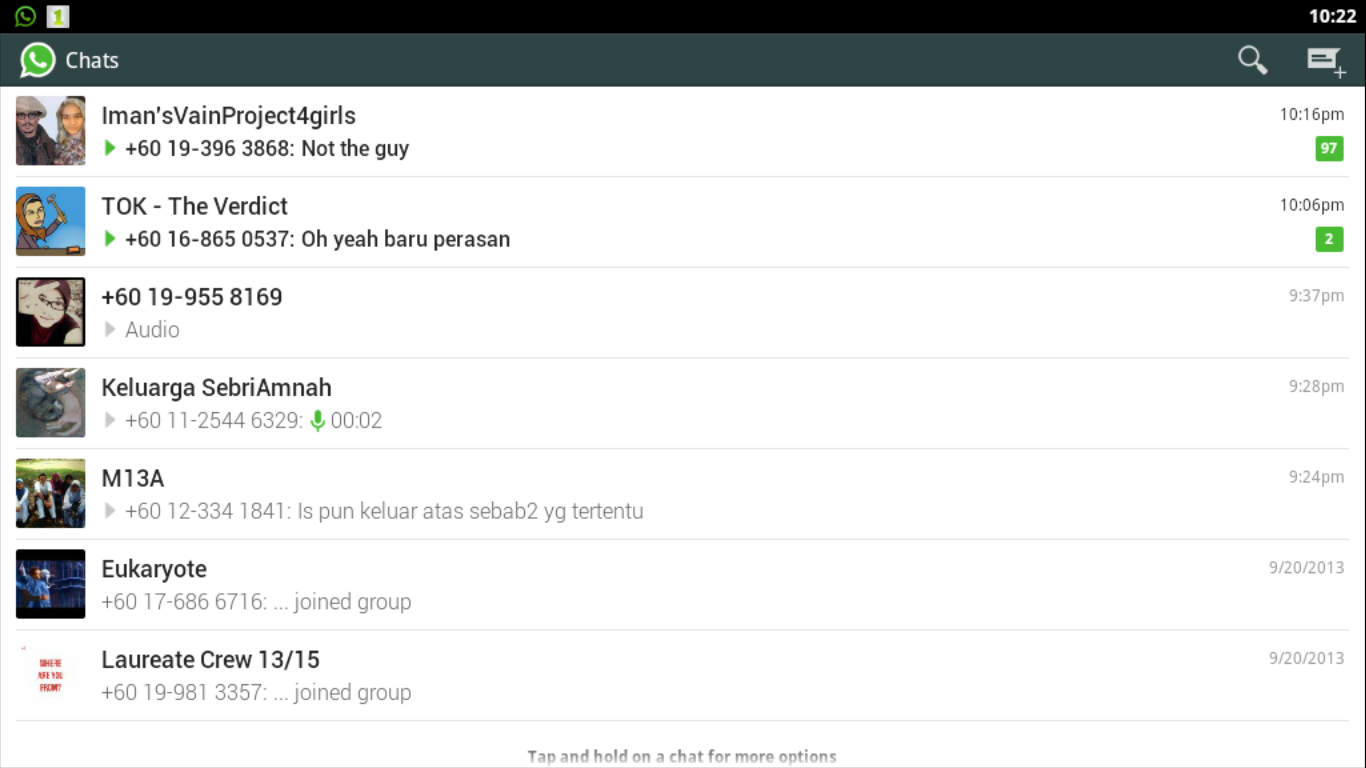
4. And then, you can enjoy dengan benda-benda alah ni. Dengan menggunakan Bluestacks, bukan whats app je boleh download, flipboard, Banana kong, Instagram, etc pun boleh digunakan! Yihhiii!!!!
Kelebihan whats app dekat pc ialah dapat mengelakkan diri daripada lalai bermain dengan kata-kata yang tidak berfaedah sepanjang masa dengan adik-beradik dan rakan rakan.
I meant; laptop kan besar. Apatah lagi monitor tu. Berbeza ngan smartphone or tablet yang kecik-kecik itu. So, quite not portable la kalu laptop and monitor. Lol...laptop is portable indeed. But, hai...quite complicated kan nak main whats app lam laptop sambil berjalan.
Kita pun akan bukak PC pada waktu yang perlu je kan.
Lagipun bukan semua phone ade pakai line internet kan,
Mungkin korang ada dongle. So, korang boleh connect ngan internet melalui laptop jer.
Sedangkan whats app tu ada masanya penting untuk pemberitahuan sesuatu maklumat an.
So, software whats app for pc ni sangat keren!!!

Wassalam...selamat berjaya!
It was a nice day to have success in downloading whats app on PC!!! (after plenty of failed attempts)
1. Mula-mula, korang kene download torrent downloader.
For example, iLivid. Keuntungan dalam men'download' melalui torrent ialah even masa kita tutup laptop pun progress download masih boleh berjalan dengan syarat adanya internet.
Download iLivid software dulu. * Ilivid ni optional sebab file whatsapp nanti kecik jer. Tapi, sekiranya internet lembab, torrent adalah digalakkan. =]
2. And then you can google for 'torrent whats app for pc free download'
Or korang boleh download kat sini
http://kickass.to/usearch/whatsapp%20pc%20version/
Mungkin kalau korang download sesetengah link ada yang corrupt bagai.
Cubalah link lain pulak hihoho (agak jenuhlah sedikit)
Tapi Alhamdulillah, aku berjaya download guna link kat atas tu. =]
Link kat atas tu dalam bentuk zip. So, kita kene extractkan file and allow the computer to make changes in the installation of Bluestack after double click on it. Yeah. Bluestack.
Installation process ni ambil masa yang lama sedikit.
Memang korang akan ponder sedikit kerana nama file ialah whatsapp, tetapi yang di'install' ialah Bluestacks. Bluestacks ni sistem Android lah macam tetapi untuk pc.
3. Setelah selesai, search for the app whats app dalam enjin carian Bluestack tu.
Install lah akan ia!
Kalau tak nak install yang tu, just google and find 'free whats app apk download' and then install it. Automatik dia akan masuk lam Bluestack itu.
Tetapi, aku sarankan just cari dalam Bluestacks tu
Kadang-kadang dia akan keluar adjust time and date, baru boleh masuk. Jangan pedulikan kata-kata nista itu.
Terus uninstall whats app yang itu (bukan bluestack) tu dekat section manage application(setting).
And then re-install balik melalui carian bluestack. =] In shaaa Allah berjaya.
Untuk whatsapp, yang kita install ni adalah trial untuk 2 bulan je. Lebih kurang 1 dolar untuk setahun.
Bagi aku, aku rela bayar.
If tak nak bayar, bila tamat 2 bulan, remove application whatsapp dan download balik dekat Bluestacks tu, cuma previous conversation tak boleh nak retrieve.
4. And then, you can enjoy dengan benda-benda alah ni. Dengan menggunakan Bluestacks, bukan whats app je boleh download, flipboard, Banana kong, Instagram, etc pun boleh digunakan! Yihhiii!!!!
Kelebihan whats app dekat pc ialah dapat mengelakkan diri daripada lalai bermain dengan kata-kata yang tidak berfaedah sepanjang masa dengan adik-beradik dan rakan rakan.
I meant; laptop kan besar. Apatah lagi monitor tu. Berbeza ngan smartphone or tablet yang kecik-kecik itu. So, quite not portable la kalu laptop and monitor. Lol...laptop is portable indeed. But, hai...quite complicated kan nak main whats app lam laptop sambil berjalan.
Kita pun akan bukak PC pada waktu yang perlu je kan.
Lagipun bukan semua phone ade pakai line internet kan,
Mungkin korang ada dongle. So, korang boleh connect ngan internet melalui laptop jer.
Sedangkan whats app tu ada masanya penting untuk pemberitahuan sesuatu maklumat an.
So, software whats app for pc ni sangat keren!!!
Wassalam...selamat berjaya!


